Email Requests
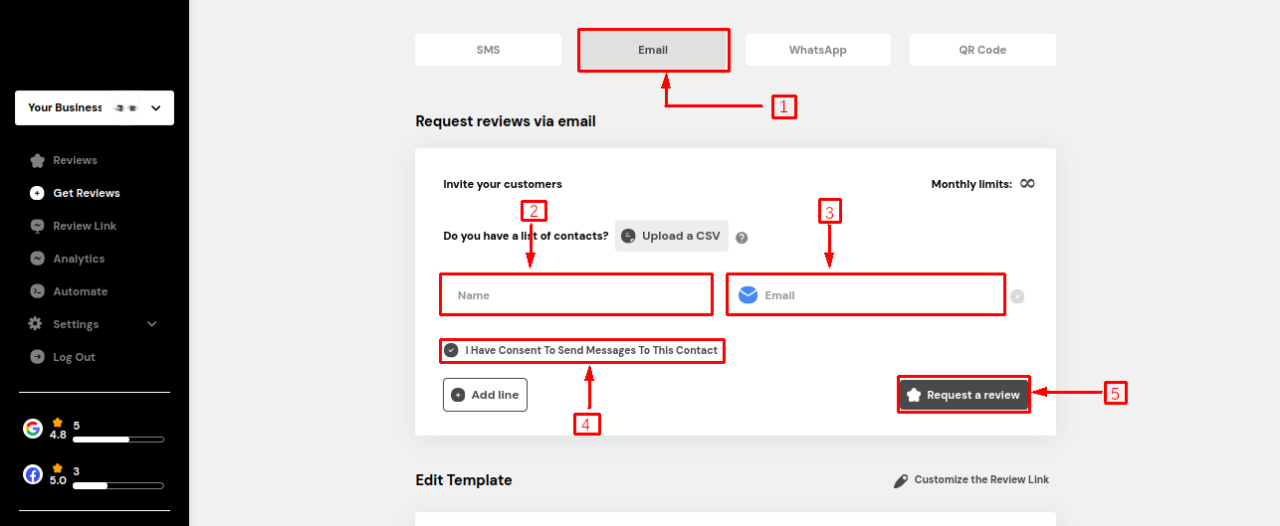
On the email request page, enter the customer's name and email addrress.
Note: The sender’s name should not include special characters.
If you upload a CSV. Upload a CSV file that contains recipient names and email addresses in 2 columns: name, email.
No spaces are allowed in the number.
Only the landing URL is allowed in the template.
Check the option "I have consent to send messages to this contact."
Click "Request a Review" to send your review.
Note: You will get the below error message if you fail to follow the guidelines.

Last updated