Email notifications and replies
This section allows you to set emails so that you are notified whenever you receive a new review on the integrated platforms, a negative feedback or a video testimonial. To receive email notifications for new reviews and replies to review requests, follow these steps:
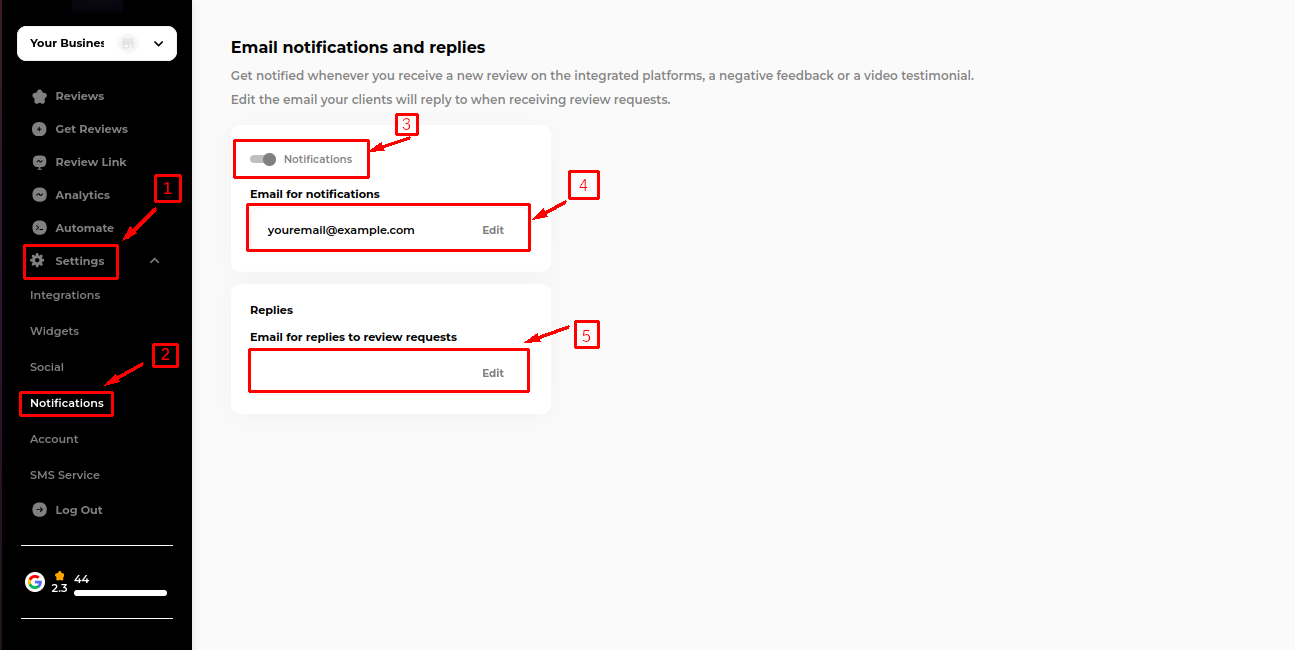
Go to Settings.
Click on Notifications.
Ensure the Notifications toggle is switched on.
Then, proceed to enter your email information in the following fields:
Email for Notifications:
In the “Notification” box, add an email that will be notified whenever you receive a new review on integrated platforms or new negative feedback.
Email for Replies to Review Requests:
In the "Replies" box, add an email that will receive replies for the review request via email.
Last updated