Meta/Facebook Integration
Link your business's Facebook page to import reviews.
The Facebook account you want to sign in with must have admin access to the existing Facebook page you intend to connect, and the page must be public.
Ensure the browser pop-up blocker is inactive.
Steps:
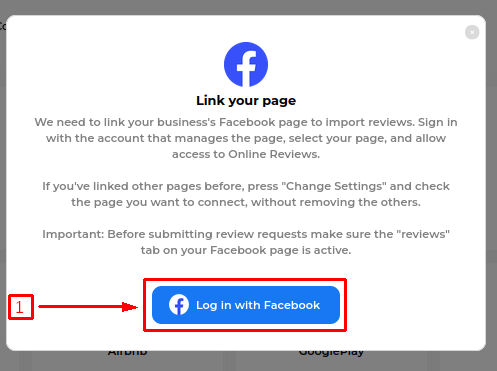
After clicking on "Integrate," click on "Login With Facebook" in the pop-up that shows.
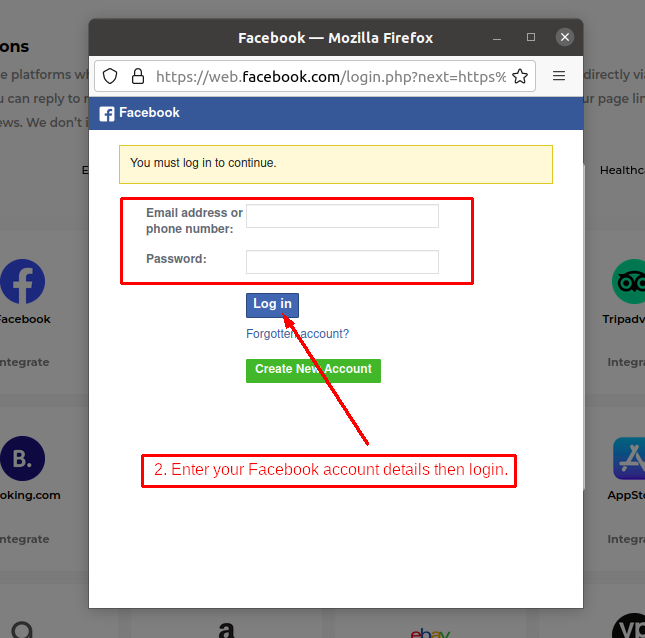
Enter your Facebook personal account details and log in.
In the next prompt, select the pages you want to connect, along with Instagram rights for page posts/content access.
Note: We need "Rights for page posts" to publish posts and "Content access" to import reviews. If you don’t want to connect to Instagram, skip that passage and grant only Facebook permissions.
Click "Done," then "OK" in the next prompts confirming you have linked Facebook.
Select the desired page from the drop-down menu and click "Integrate Facebook." Allow the app some time to import the reviews.
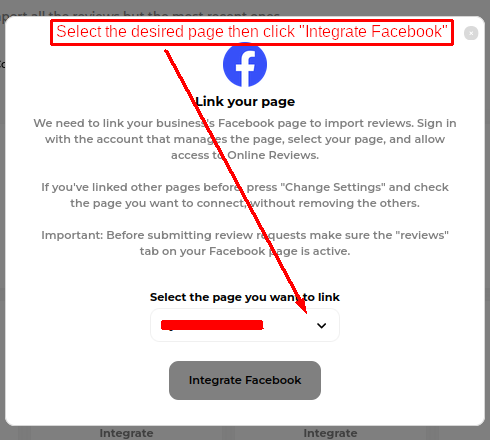
In case you do not see the page in the drop-down.
Note: The page visibility issue sometimes affects page owners. As a workaround, you can grant access to a different Facebook account, and that should enable you to see the page in the dropdown.
Last updated