Google Integration
Link your business's Google My Business Profile to import Google reviews.
You need to have admin access to an existing Google My Business Profile that is verified, has a location, and is public. If you do not have one create one by following the steps at How to add or claim your Business Profile on Google
Ensure the browser pop-up blocker is INACTIVE.
Steps:
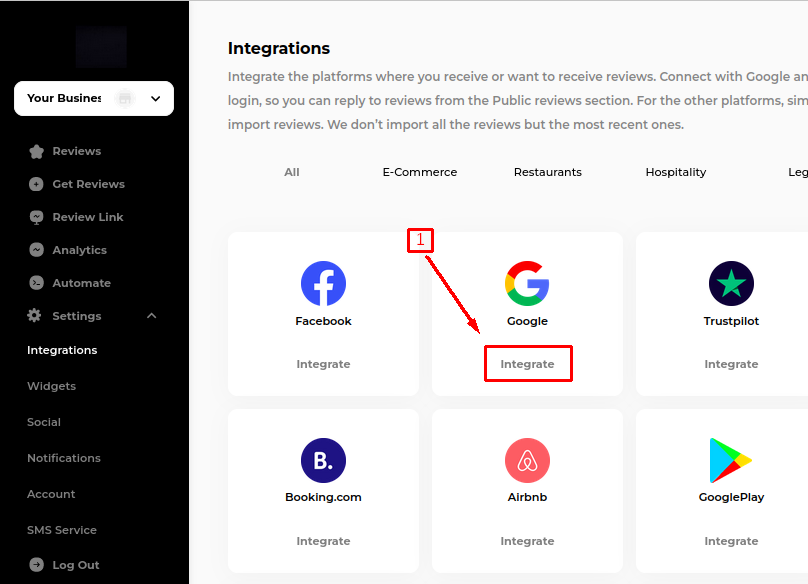
Click on "Integrate" then choose:-
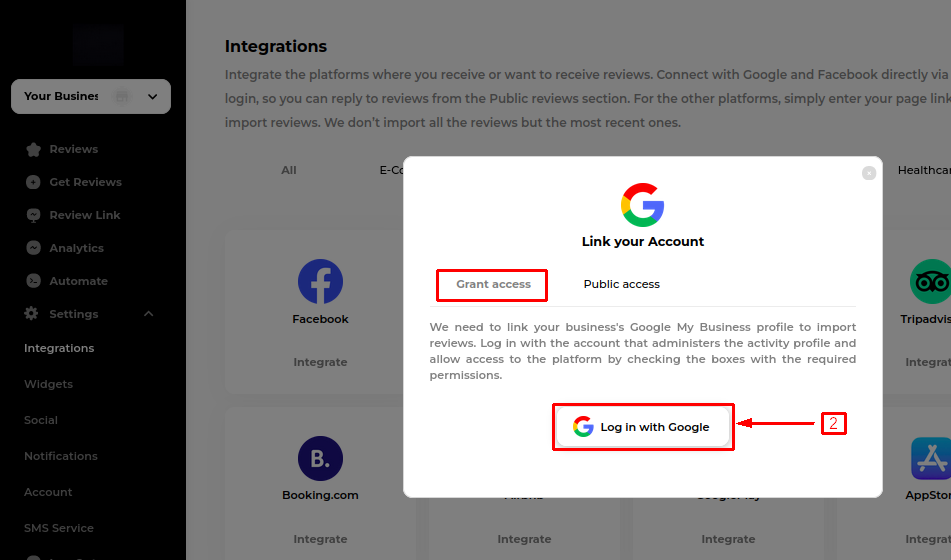
A. Grant Access:
Click on "Log in with Google."
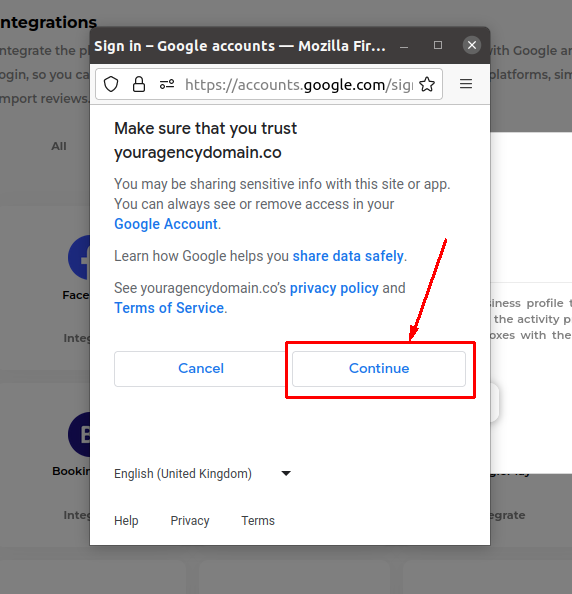
Choose an account with admin access to the Google Profile.
Click "Continue" to allow access to your Google email account.
In the next window, select and integrate the intended Google profile. If not visible, the email lacks admin access.
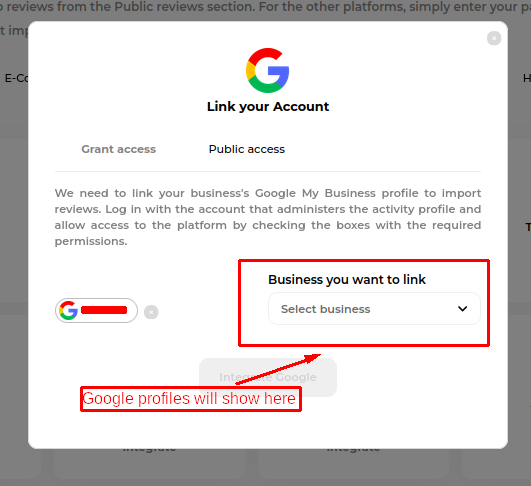
Click "Integrate," and upon success, a message will appear. Allow time for the app to import Google reviews.
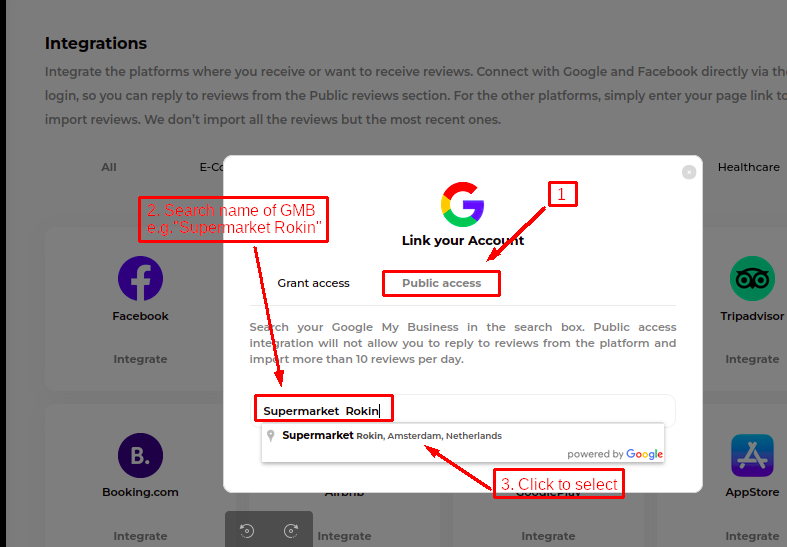
B. Public Access:
For public access integration, the app imports the last 5 past reviews, and replying within the app is not possible.
Integrate by searching for your Google My Business using the search box, using either the GMB name or location.
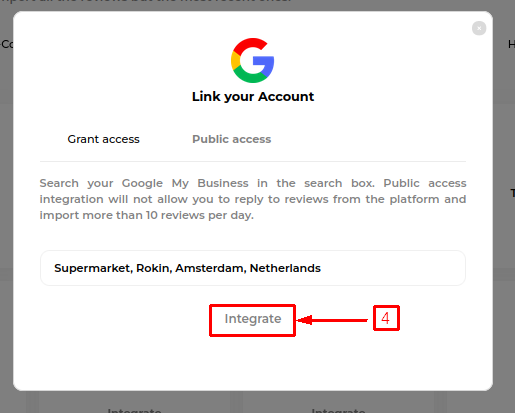
Click "Integrate," and upon success, a message will appear. Allow time for the app to import Google reviews.
Last updated