Password Reset
ExcerptOnline Reviews Help Center: Password Reset
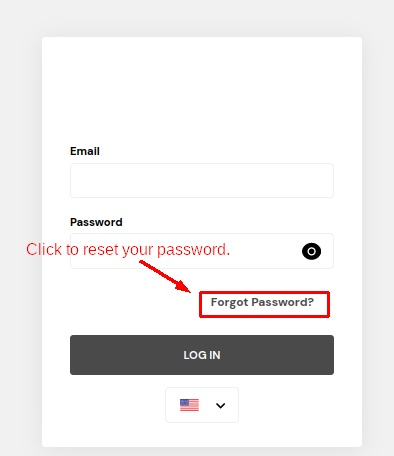
Click "Forgot Password" on the Login Page.
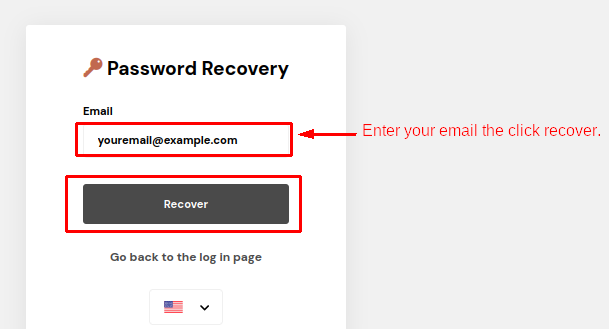
Enter Your Email: In the provided field, enter the email associated with your account. Click "Recover."
Confirmation Message: A message will appear: "We sent you an email at [email protected] with instructions to reset your login credentials."
Access Your Email: Check your email and click on the link provided to reset your password.
Enter New Password: On the opened page, enter your email, set a new password, and confirm. Click "Reset Password."
Completion Message: You are done! Click on "Go to Log In."
Log In with New Password: Log in with your new password.
Last updated