Automation History
The logs of the automation are saved in the history section. You can access the automation logs by either:
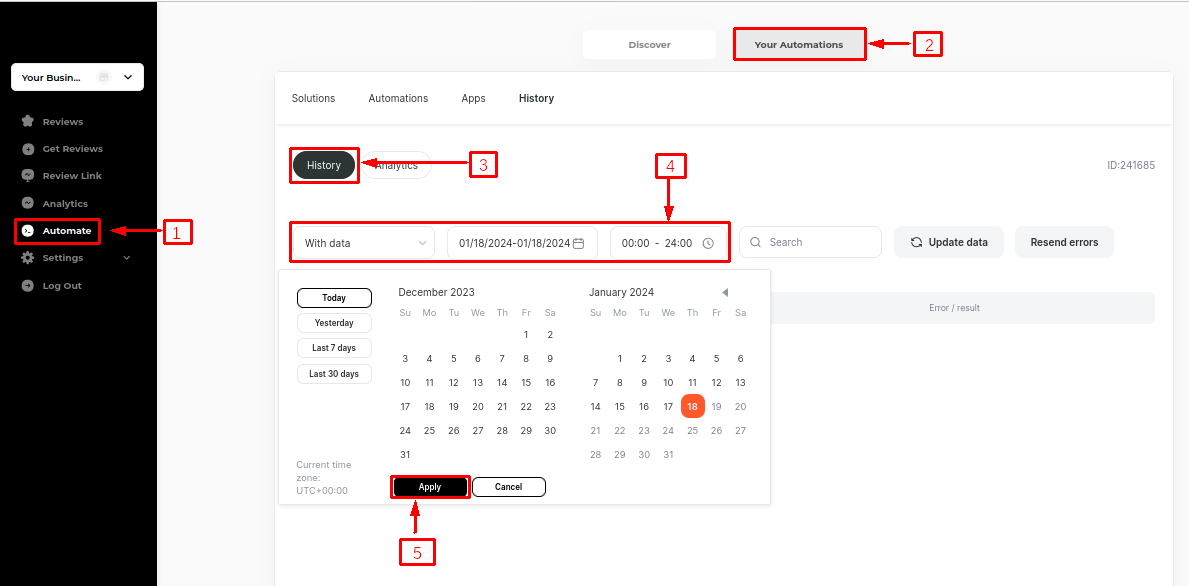
1. Clicking on "Automate" on the left panel:
Navigate to "Your Automations" -> "History."
Filter the logs by choosing from options like all events, with data, with an error, or system. Specify a date and period if needed.
Click "Apply" to view the logs.
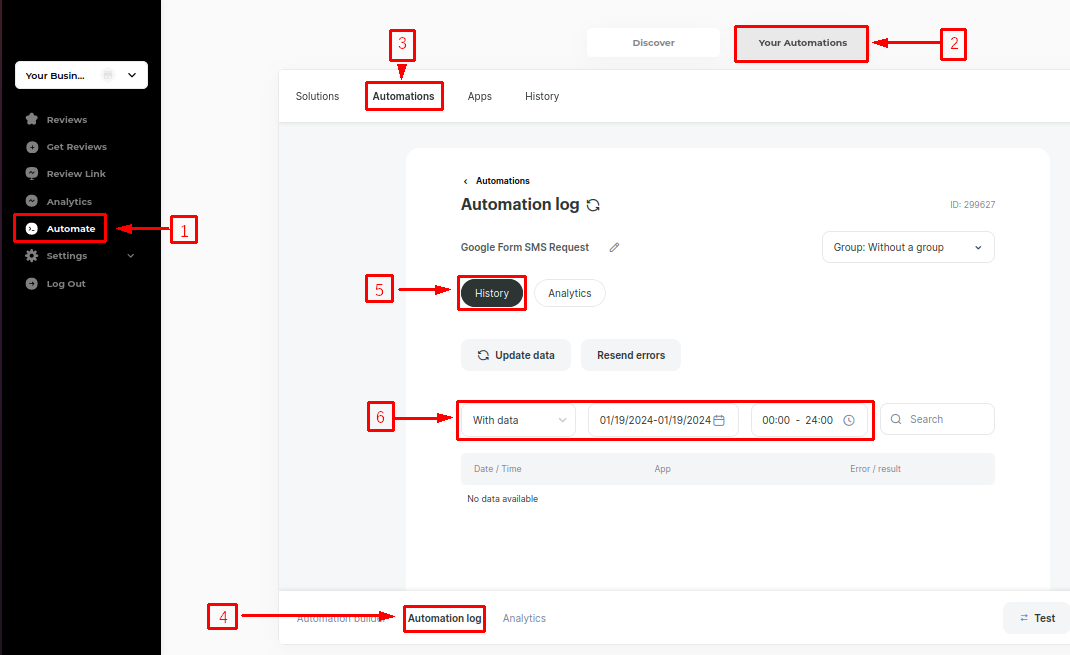
2. Alternatively, Clicking on "Automate" on the left panel:
Go to "Your Automations" -> Select the specific automation under "Automations."
Click on "Automation Log" at the bottom of the automation.
Filter the logs as required then apply to view specific details.
Last updated